



SSL.com’s eSigner
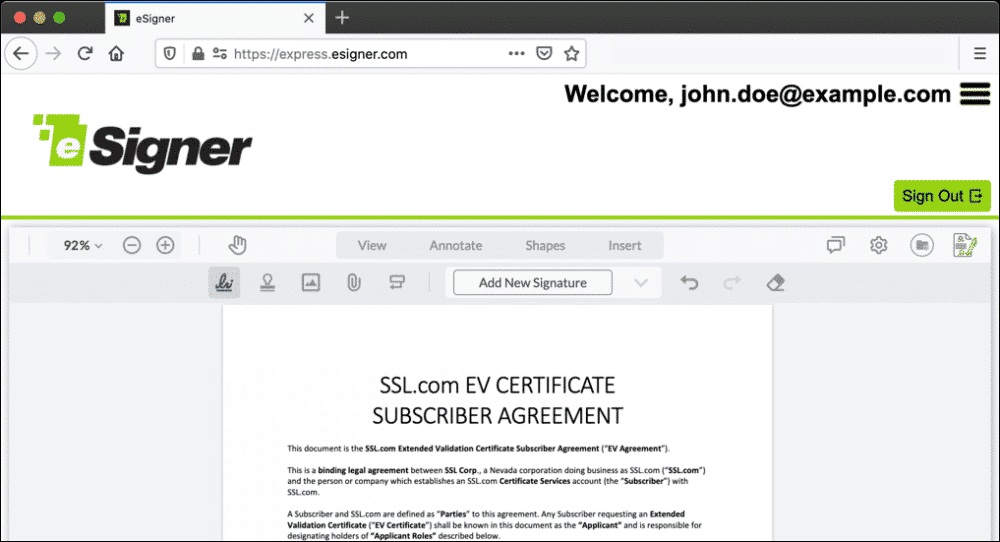
SSL.com’s eSigner cloud signing service lets you conveniently add globally trusted digital signatures and timestamps to your documents and code from anywhere, with no need for USB tokens, HSMs, or other special hardware.
Certificates and signing keys are securely stored in cloud-based FIPS compliant hardware appliances and can be accessed via individual signing credentials for users or teams, the eSigner Express application, or Cloud Signature Consortium (CSC) compliant API.
eSigner is fully compatible with the CSC cloud signing standard. Businesses and other organizations can integrate eSigner with their document and code signing workflows. Software publishers and service providers can use eSigner to offer digital signing capabilities to their customers.
eSigner is available to all SSL.com Code Signing and Document Signing customers and is fully compatible with Adobe products (including Acrobat) and Microsoft Office products (including Word) and all platforms such as Windows and Linux.
For more information, please submit the information request form below.
Features
Digital Signatures in the Cloud
No need for USB tokens, HSMs, or other specialized hardware.
Globally Trusted CA
eSigner signatures and timestamps are trusted by operating systems and applications worldwide, including Adobe Acrobat, Windows Authenticode, and Java.
World-Class PKI
SSL.com handles the public key infrastructure (PKI). Businesses and developers can avoid costs associated with hardware, software, and full-time expert staff.
eSigner Express App
Sign documents and code with an intuitive GUI web application.
API Integration
Cloud Signature Consortium (CSC) compliant API for integration with front-end apps, including DocuSign and Adobe Sign.
Long-Term Validation (LTV)
eSigner signatures include long-term validation (LTV) for signed PDFs, meaning your digital signatures will not expire when your document signing certificate expires or needs to be revoked.
Tools for Automation
CodeSignTool and DocSignTool command line tools available for automation and workflow processes. Automate signings with signtool.exe and certutil.exe. Supports CI/CD integration for full automation of code signings.
Digital Signatures
eSigner’s digital signatures use PKI-based digital certificates that bind an identity (such as a person or company) to a cryptographic key pair. When a file like a PDF or Word document, executable application, or driver is digitally signed, a cryptographic hash of the document’s content and the identity of the signatory are bound together to form a unique digital fingerprint, ensuring:
- Authentication: The identity of the signer has been validated by a publicly trusted certificate authority (CA).
- Integrity: The document has not been altered since it was signed.
- Non-repudiation: Because authentication and integrity are insured by a digital signature, a signatory cannot plausibly deny that they signed a document.
Document Signing certificates
Universal Trust
As a publicly trusted CA, SSL.com is trusted by operating systems, web browsers, and software vendors like Adobe and Microsoft to validate the identities of individuals, companies, and government organizations. Because of this, eSigner’s signatures are trusted by:
- Adobe Acrobat and Acrobat Reader
- Windows Authenticode and Java
Extended Validation Code Signing certificates
Legal and Enforceable Worldwide
eSigner document signatures are legal and enforceable under the United States Electronic Signatures in Global and National Commerce (ESIGN) act and the European Union’s Electronic Identification and Trust Services (eIDAS) regulation, as well as the laws of many other nations worldwide.
eSigner Subscription Pricing Tiers
eSigner signing credentials can be used in API automation (i.e. CI/CD for code signing, and workflow processes for document signing) or on the eSigner Express web app. Signing credentials can share the same certificate with other signing credentials, or they can individually access their own unique certificate for signing operations.
For eSigner pricing information please refer to the following pricing guides:
Reach out to our sales team
eSigner Information Request Form
Related
How to Apply Digital Signatures to PDF Documents using Adobe Acrobat Sign with eSigner Integration
How to Apply Multiple Digital Signatures on a Document using eSigner Express
Digital Signatures as a Service with eSigner
Digital Signatures in the Cloud
No need for USB tokens, HSMs, or other specialized hardware.
